
Download

v1.1.5 is out

Silk

A game launcher you can actually use with a controller

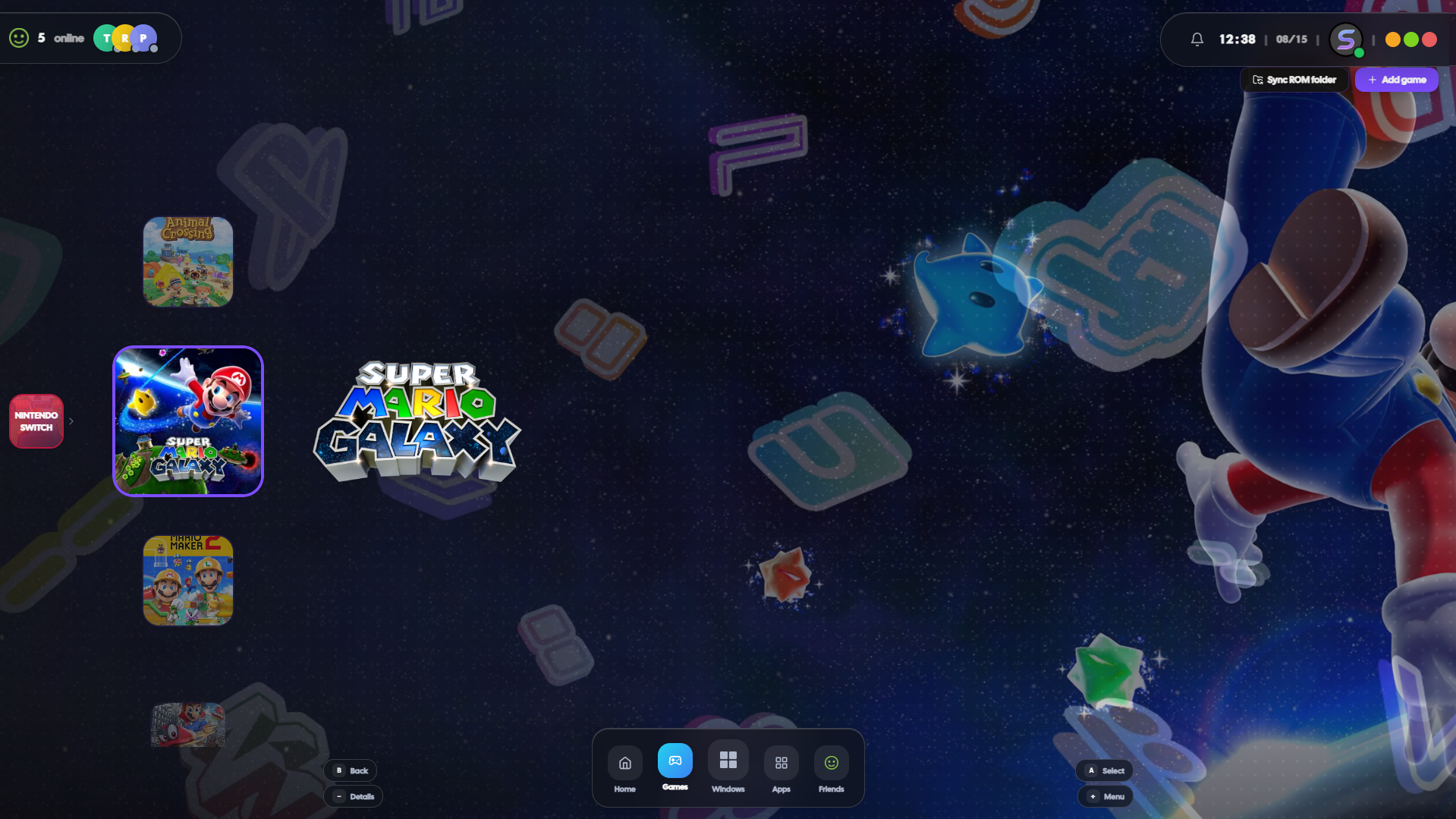
Home screen with pages you swipe through, tiles you can resize, and themes you can change per page. Basically the launcher I wanted after using iiSU on my phone.

Silk home grid with game tiles and widgets

Why Silk exists

iiSU is this really nice emulation frontend on Android — Wii U-style home screen, tiles you can resize, RetroAchievements, all that. I kept wishing I had the same thing on my PC.

iiSU was supposed to get Linux and Windows versions at some point. I got tired of waiting and started building my own. Same general idea — pretty grid, controller-friendly — but for the stuff I actually play on desktop: Steam, Xbox, random .exe shortcuts, ROM folders.

To be clear: Silk isn’t iiSU. It’s a separate project I built because I wanted that look on Windows and Linux. If iiSU desktop ever ships, cool. This is just what I use in the meantime.

FAQ

What is Silk?

A launcher that puts your games on a grid — like a console home screen. Hook up Steam, point it at a ROM folder, or add shortcuts. Rearrange tiles, change themes, use a controller to pick what to play.

How is this related to iiSU?

I copied a lot of the layout ideas from iiSU (pages, tile sizing, that sort of thing). But Silk is its own app — Electron, desktop-only, built around PC games instead of emulation.

What platforms?

Windows has an installer. Linux build is an AppImage in a separate repo (silk-launcher-unix). Same grid on both, just without some Windows-only stuff like Xbox search.

Is it free?

Yeah. Download it, run it. No account, no paywall.

What games can it play?

Whatever you already have. It doesn’t come with games — you point it at your Steam library, emulators, or shortcuts and it launches them.

Does it include ROMs?

No. You bring your own files. It won’t help you pirate anything.

Features

Home grid

7×3 tiles per page. LB/RB to flip pages. Hold a button and drag to move or resize tiles.

Where games come from

Steam, ROM folders, manual shortcuts. Xbox library on Windows.

Widgets

Clock, weather, CPU usage, Discord, sticky notes — stick them on the grid next to your games.

Themes

Six themes included. You can also set a different background per page if you want.

Controller

Whole UI works with a gamepad. On-screen keyboard when you need to type.

Box art

Pulls covers from IGDB and SteamGridDB so you don’t have to hunt for images yourself.

Widgets

You’re not stuck with just game tiles. Throw a clock or weather widget on there, check Discord, open a webpage — whatever. Same grid, same resize/move controls.

  • Clock · Date · Calendar
  • Weather · Now playing
  • CPU · RAM · Storage
  • Discord · Steam status
  • Game art · Web browser
  • Sticky note · Quick add

Themes

Pick a theme or mess with the colors yourself. Everything works with a controller — hold the edge of the screen to change pages while dragging tiles around. There’s an on-screen keyboard too if you need to search for something.

Light Midnight OLED Sakura Forest Sunset

Download

Grab the one for your OS. First launch walks you through setup — where your ROMs are, Steam folder, that kind of thing.